• Live Streamings

    If you have a Live Streaming service for your live audio or video transmissions, (Such as Wowza, Datacast, Livestream, etc.) You can use Mowplayer to be able to reproduce it and take advantage of the ad management to monetize it together with our Marketplace.

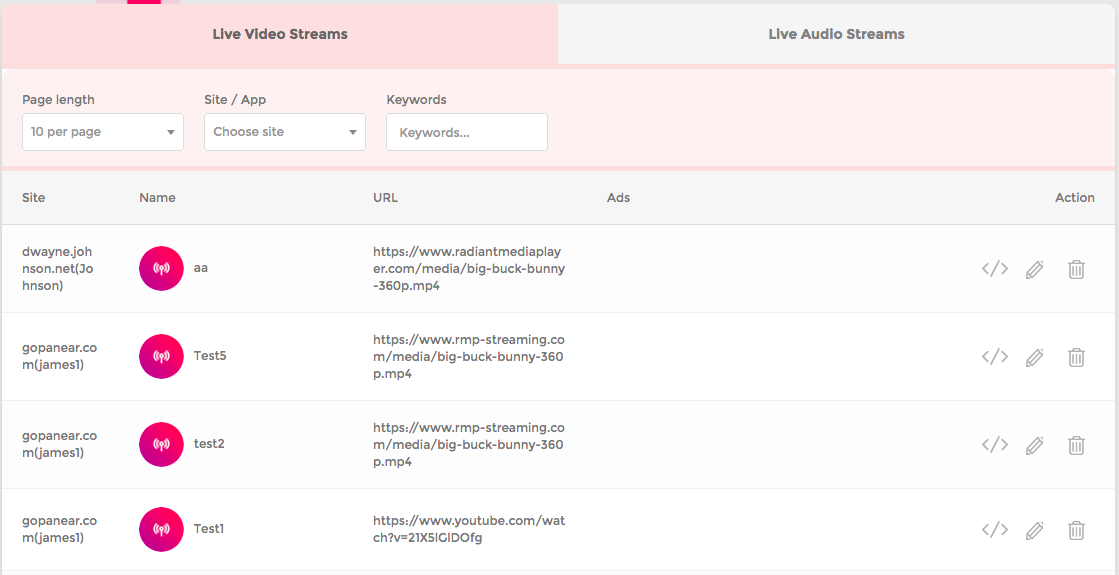
    Within the Live Streamings Section, all the players created to reproduce both audio and video are listed in two tabs.

    clarification : Mowplayer does not offer Video or Audio Streaming support, it only provides the Player which will take the signal from the service you are using. Mowplayer currently does not support broadcasts via YouTube or Facebook live.

    In the Live Video / Audio section all the live transmissions that you are doing through our Player will be listed. You can get the code using the get code option and implement it on your site directly.

    • How to create a New Video or Audio Stream

      Through the + Live Video / Audio button you can start creating players for your different live broadcasts. The following data is required:

      Station Name : Choose a name by which you can easily identify your broadcast.

      Live streaming URL : Here you have to put the URL of the streaming service you are using so that it can be connected to our player and played.

      Mowplayer is compatible with almost all streaming services like Wowza, Dacast etc.

      Description : Add a description about the type of content or reference of the stream.

      PreRoll Ad : Here the different Vast Tags that have been added from the Ads section will be listed. Add your codes and start monetizing your live video. To learn more about how to manage your own vast tags, check out our Ads section​.

      Once these fields are defined, proceed to Save the video / audio and it will be visible in the list to be implemented.