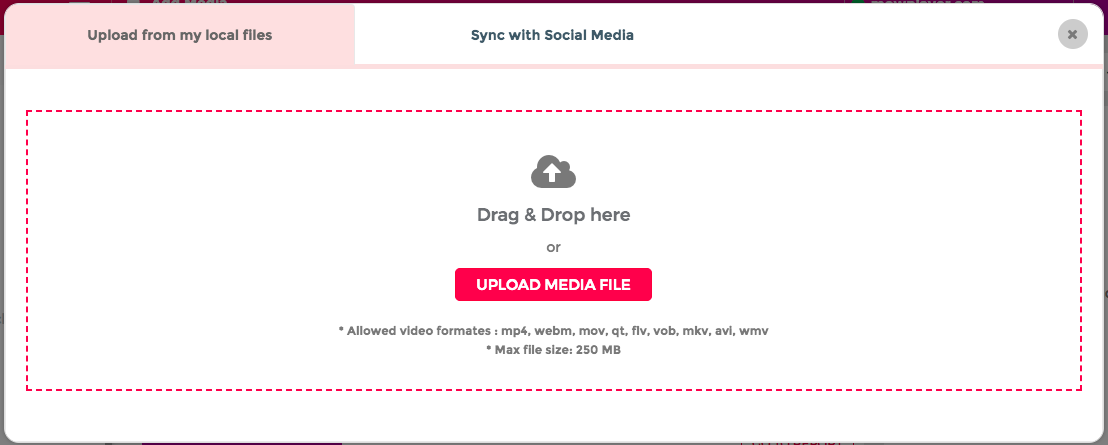
Once your site has been registered, approved and verified by our audit team, you will be able to start uploading video and audio files to your account. For this you only need to click on the Upload tab at the far right of the header.
Where different options will be displayed on how to integrate your media files:
- Upload a media file manually to Mowplayer
- Upload videos from your Social Networks
In this option you can directly manage the files that are hosted on your computer. You can search the files through the upload files button or drag & drop them to the marked area.
Note: The maximum volume of files to be processed at the same time is 10.
If you are using the free version of Mowplayer. Manual file uploading only accepts mp3 and mp4 formats with a maximum of 250 MB.
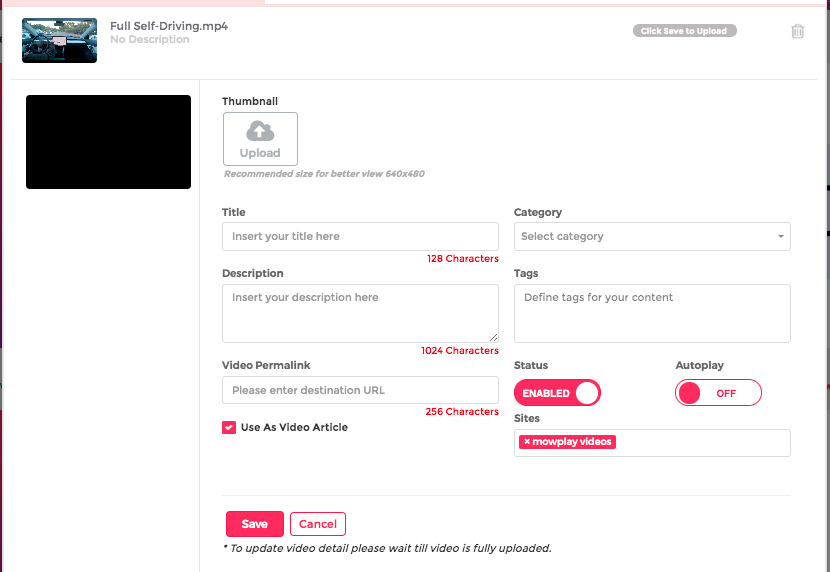
Once the video upload is completed, proceed to complete the information related to your content, this step is very important since the data of your video is linked to directly to your SEO strategy, and potential monetization of your account.
Keep in mind: : The more detail you can share about your video content, the better it will be for developing a profitable ecosystem. Add attractive titles and descriptions, place labels with the most representative details and verify the information of your video permalinks.
The required information is the following::
Thumbnail : Add custom thumbnails that attract the attention of your users, if you don't have one, you can create an animated gif from the uploaded video. It will take frames from the first 5 seconds of the video. Once generated and saved, you can also download it and use it as a call to action in other images in your site.
Advise : Using animated gifs you can increase your Click to Play (CTP) rates by 25%. If you want to know more about how to develop successful monetization strategies for your site or App, consult your Account Manager.
Title : Add a title to your video, the character limit is 128.
Description: Place a detailed description about the content, this will help search engines to better index.
Permalink: Place the URL where the video will be published, this information is vital for the correct recognition of the video environment, indexing and subsequent monetization. Each video must have a unique URL associated with your domain.
Category: Each video must be correctly categorized, this helps to create specific content channels for your video network and add value to the monetization ecosystem.
Custom Labels You can add specific tags to add more details in your videos in addition to categories / Subcategories. This will help create a network of videos with more detail, allowing you to link content efficiently.
Site: If you have more than one site in your network, specify where you will upload the video.
Video Article Box : Check this box to make the video part of the native content capsules for your account. Learn more about how to develop a re-engagement strategy using our Video Article widget.
Once all the information is full fill, proceed to save the video.
For audio files the information is almost identical to video files, both for the title, description, category and tag.
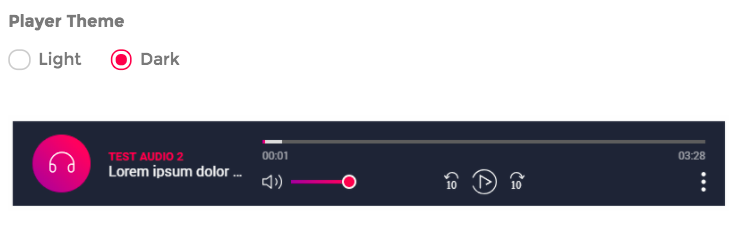
You can also choose between 2 available themes (light - dark) in the audio player.
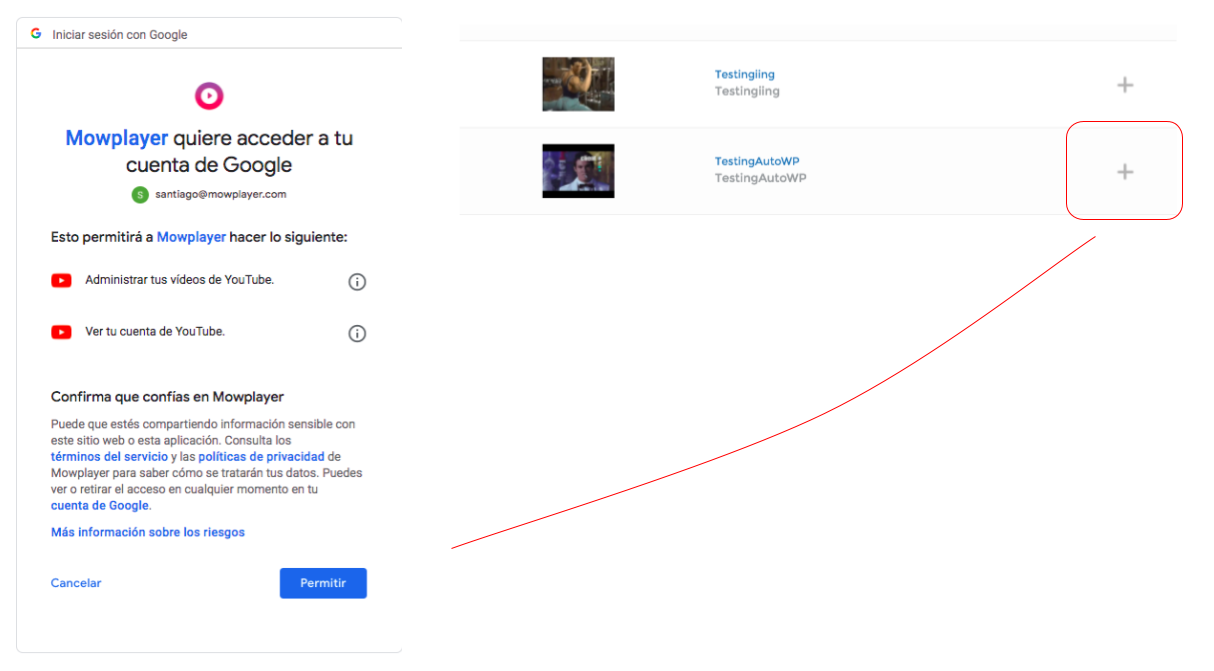
Mow offers the possibility to use the videos that are already uploaded to your social networks, connecting, migrating and synchronizing your YouTube and Facebook account with your Mow profile.
Choose the option to connect from Social Networks and enter with your YouTube or Facebook user, once the accounts are synchronized, the videos will be listed, click on the + located on the far right to add them to your account.
Advice : We recommend editing the video information with the new permalink of your website and with more additional data that you may have for the video, this will help to develop a successful video strategya.
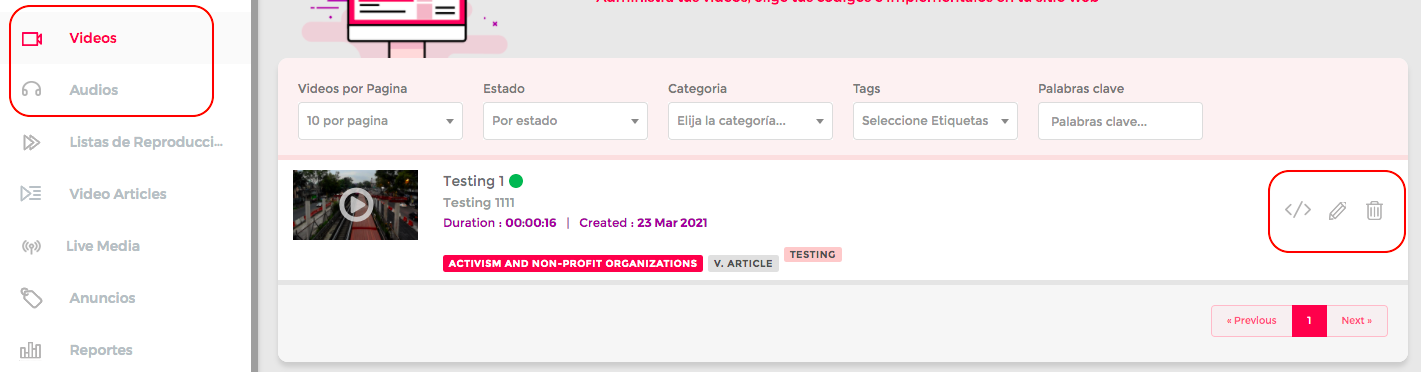
Once your files are uploaded, they will begin to be listed on your main Audio and Video page respectively. Each uploaded file has an options menu located on the far right of the screen. From here you can get codes, edit or delete your audios and videos.
We understand the volume of operational work that is related to the management of audiovisual content for the editorial and technical area.
That is why we have tools that automate a large part of the strategies for loading, implementing and automatically replacing YouTube video codes or any social network with those of Mow. Helping that the implementation does not require any extra effort from the Editorial team.
Advise : Contact your Account Manager to learn more about this service, where you can automate and maximize the operational work of your account.