Home
Strategic Solutions for Video
Strategic Solutions for Video
Mowplayer offers additional formats to help optimize and grow your site's video ecosystem. It is true
that the mere fact of using or replacing one player with another is not enough to be successful with
your content. Strategic support is needed to invite and expose the user to a more related and quality
video content.
Advise :
Reach your Account Manager wich in a few simple steps will help you design an
appropriate strategy combining our different widgets over your site, creating a sustainable and
profitable ecosystem over time.
Below a description of how to use of each of our Video widget:
- Video Article
- Play list
- Live Videos
-
Video Article
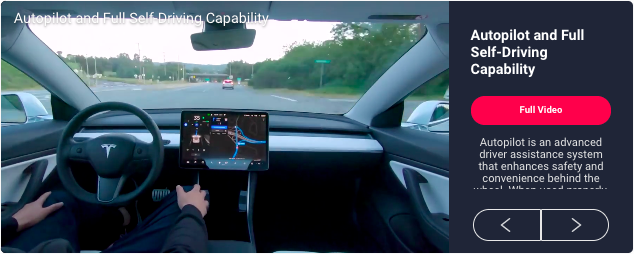
Video Article is a 100% native content capsule, so if your videos have the checkbox enabled, you can
add them and synchronize different capsules according to defined categories or tags.
This data will be used for future searches and offering of videos according to closely related contexts.
In this way your video content is revalued and you can keep it current giving it a longer useful life and
at the same time offer to your audience your own, better related and quality content.
This Widget works great as a related content, especially on pages that do not have videos.
In this way, you can have a 100% proprietary and editorially consistent video that will boost your traffic
navigation and general video performance of your site.
Advise :
Place the Video Article among your article content, this will increase the overall view % of
all your videos and will increase your overall site traffic. If you need help with the implementation,
reach your Account Manager as it can be dynamically deployed between the content of the notes.
-
Video Article section
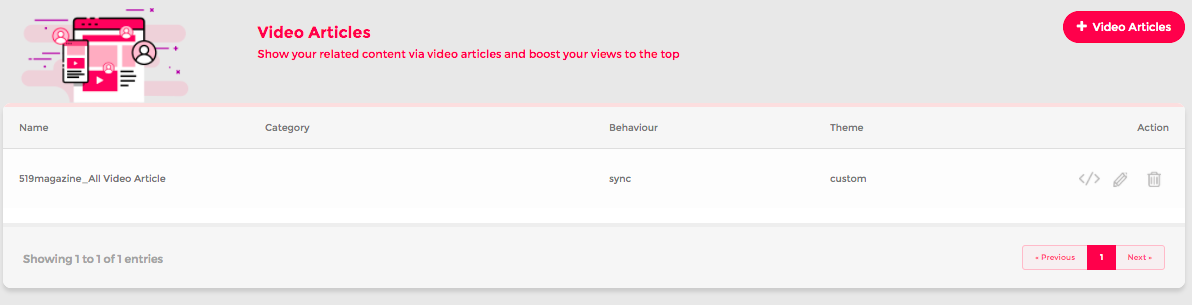
This section lists all the capsules that have been created. Also here you will be able to create, edit,
code and delete your video articles.
By default there is a capsule called All videos which is synchronized with all the enabled content on
your account.
The article default video (called All Videos) will contain the last 20 videos uploaded to the account and
you can start using it just by taking the code in (get code) and implementing it on your site.
-
How to create a Video Article
Click on + Video article to create your custom vart. We recommend to create a capsule x main
category of your site to apply a better segmententation of your content channels.
Add a name which allows you to easily recognize it and add the settings by which you want to create
your capsule. You can select categories or specific tags that you have used as a detail in your videos.
-
Synchronized / Manual mode
Within the video creation process you can define if you want to make your capsule synchronized or
manual.
When the sync mode is inactive, a list with the videos will be displayed under the selected items, and
here you can manually choose which videos will be part of the capsule.
-
Video Article Styles Customization
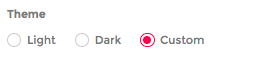
You can select one of our default styles or create a custom style with the look & feel
from your website for your capsule.
The following elements can be customized to make your Video Article full Native.
Font Style : (Google fonts)
Title : size, alignment and color.
Description: size, alignment and color.
Background Box: color
CTA : color
Once the styles have been selected, check how they look through the preview and if they are
as you save the changes.
Advise :
If you need assitance on creating your customize video article please connect with your
Account Manager.
-
Video Article CTA
The Video Article base its content on the information that has been declared in the videos, both the
title, description and also permalink.
All vart capsules have a well-marked CTA (call to action), and take the declared permalink as their
main redirect, this is one of the keys to this functionality since it generates a new circulation of traffic
to your article with the main video content.
The development of an strategy that includes, on one side, the implementation of Videos with an
unique permalink (with the URL published in the note) and vart capsules that help you to expose the
content on every page is a key to be able to create a high profitable video system .
In case you do not have permalinks for your main videos, the FULL VIDEO button will work enlarging
the video to the entire screen.

.png)
.png)